 Search Tips
Condition Expression
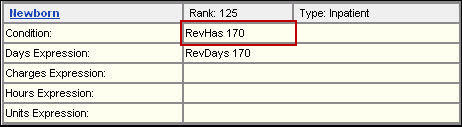
A condition expression defines what billing data qualifies a claim for a service type. Any data on a claim may qualify; you must use tokens to define that data.
Note: The Condition Expression functionality supports lookup tables containing ICD-10 ranges.
Tokens
A token is a term that describes the type of billing code to match on a claim. Tokens are used in service type definitions to:
- Define the service type in the condition expression.
- Determine resource reduction in the days or charges expression
The most common tokens and billing codes are listed below.
|
Token |
Reference |
Source or Field Locator |
|
RevHas |
Revenue codes |
FL 42 |
|
ProcHas |
ICD9, HCPCS, CPT4 |
FL 44, 80, 81 |
|
DRGHas |
DRG codes |
various |
|
CDMHas |
CDM codes |
charge detail file sent to FinThrive |
Operators
An operator is a term that links multiple tokens together in a single expression.The most common operators for condition expressions are listed below. For a complete list, refer to Online Help.
|
Operator |
Function |
|
Or |
The service type will match if either of the codes is present |
|
And |
The service type will match only if both codes are present |
|
And Not |
The service type will match to the first code only if the following code is not present |
Syntax Rules
The syntax in a condition expression must be precise. A misplaced space or bracket changes the meaning of the statement. Note the following rules when building a condition expression:
- Use the appropriate order of operation, as in a mathematical formula.
- Codes are linked by operators.
- Codes in parentheses ( ) are interpreted as a single condition.
- Include parentheses around:
- Insert a space:
Between the token, the code, and the operator:
|
Correct: |
RevHas 450 And RevHas 420 |
|
Incorrect: |
RevHas450AndRevHas420 |
When the expression references a lookup table:
- Use open and closed brackets [ ] (instead of parentheses) around the table name.
- A table name must exactly match the actual table name, including upper and lower case letters, spaces, etc.
- The token must match the table type (i.e. If the table type is revenue codes, the token must be RevHas).
- Do not insert a space before or after brackets [ ] referencing a lookup table.
|
Correct: |
ProcHas [CCATH] |
|
Incorrect: |
ProcHas [ CCATH ] |